

Administration
For the admins who look after Curade Mini, from roles, users and environments to the notifications they send from the console.
The tasks of the admins who look after Curade Mini: who gets in and with which role, the environments with their connection and CLEO, and the notifications sent to their members. Users and environments sit under Console in the drawer, narrowed to the environments assigned to the Admin, and the narrowing holds on the server, not only on screen.
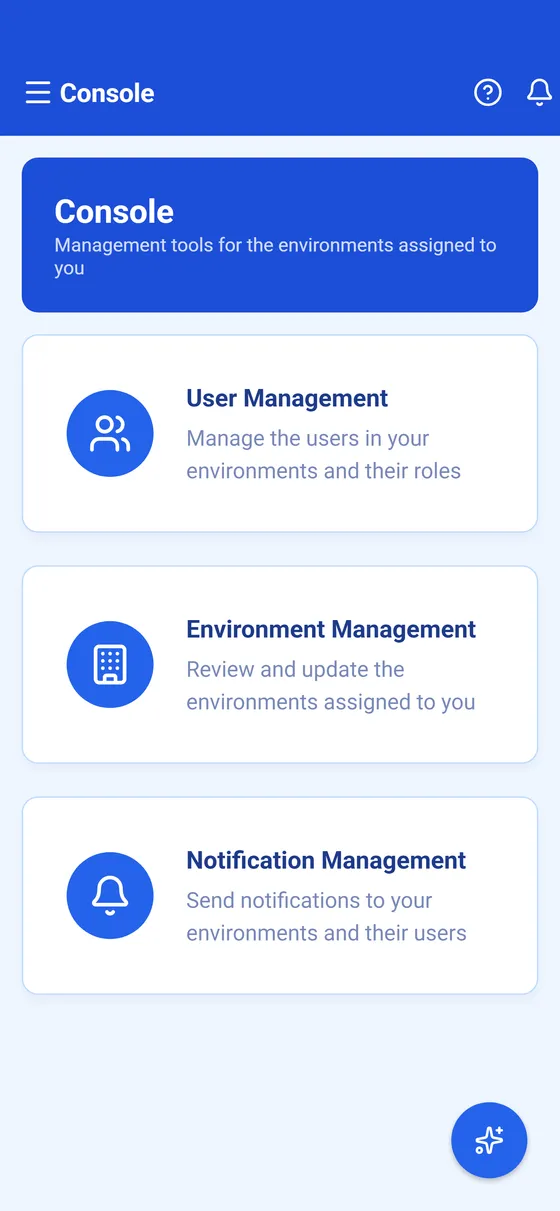


Each role has its own colour in the app: purple for an Engineer and blue for an Admin. Of the two, only an Admin opens the console, so it shows in blue.
- Roles and permissionsThe two roles in Curade Mini, Engineer and Admin, what each one opens, what an admin does and who to ask when something is out of reach.
- Manage usersInvite people to Curade Mini as an Admin, give them their role and environments, send a password reset or delete an account you manage.
- Manage environmentsUpdate an environment you look after in Curade Mini, renew its access token, switch CLEO on with an AI provider and choose its members.
- Send notificationsSend a notification from the Curade Mini console to the people in your environments, by environment or by person, in one language or all.
This page describes Curade Mini 1.0.0.